 Tidy My Mac
Requires macOS 26 Tahoe or later
A cleaner, safer Mac,
without the games.
Tidy My Mac clears out junk, duplicates, similar photos and the leftovers of old apps, and keeps your Mac safe on every front: antivirus for what you download, ransomware protection for your files, a firewall for what connects out, and Web Protection against phishing, scam and malware sites. Try every section free for 7 days with no card needed. Every scan runs on your Mac.
- Scan
- Clean
- Duplicates
- Protect
See it
One window for the whole Mac.
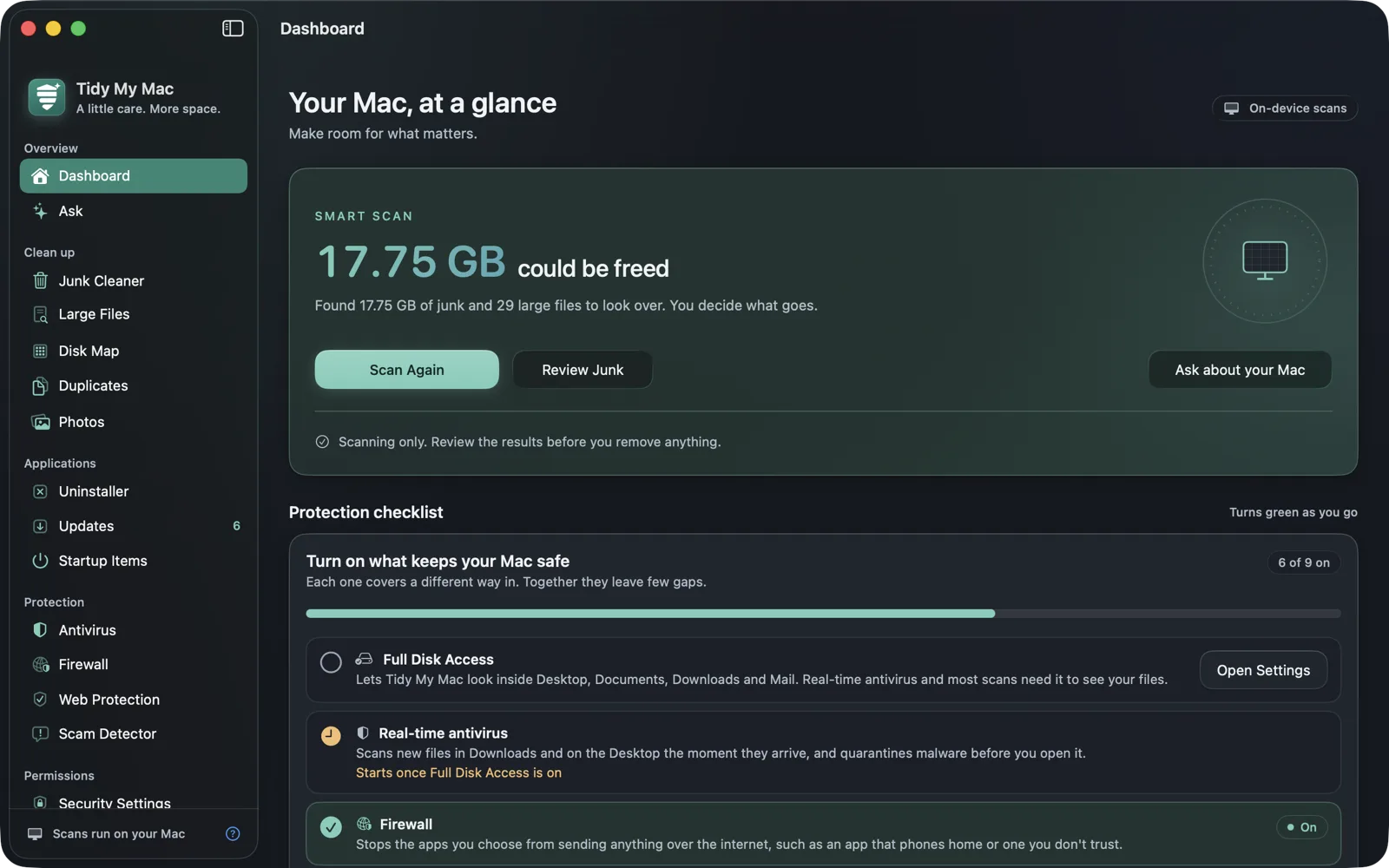
Every section lives in the sidebar. Scans run on your Mac and nothing is removed until you say so.
Protection, built in
Your Mac, safe on every front.
Cleaning is only half the job. Tidy My Mac also guards what you download, your files against ransomware, your browser against adware, what connects out, and the sites you open.
Antivirus
Malware is caught before you open it.
Real-time protection checks every new file in Downloads and Desktop the moment it lands, and Quick, Normal and Deep scans cover the rest of your Mac. Anything it finds goes into quarantine, and you can restore it if you disagree.
Ransomware Protection
Encryption is stopped as it starts.
When a program starts renaming and scrambling your files, or touches one of the hidden decoys, Tidy My Mac names it and stops it within seconds, even ransomware nobody has seen before.
Adware
Your browser is yours again.
The profiles, browser policies and proxies that hijack your searches are invisible to a virus scan. Tidy My Mac finds them, explains each in plain words, and removes them.
Firewall
You decide which apps go online.
See which of your apps connect out, and the addresses they reach. One click cuts an app off the network; another lets it back on.
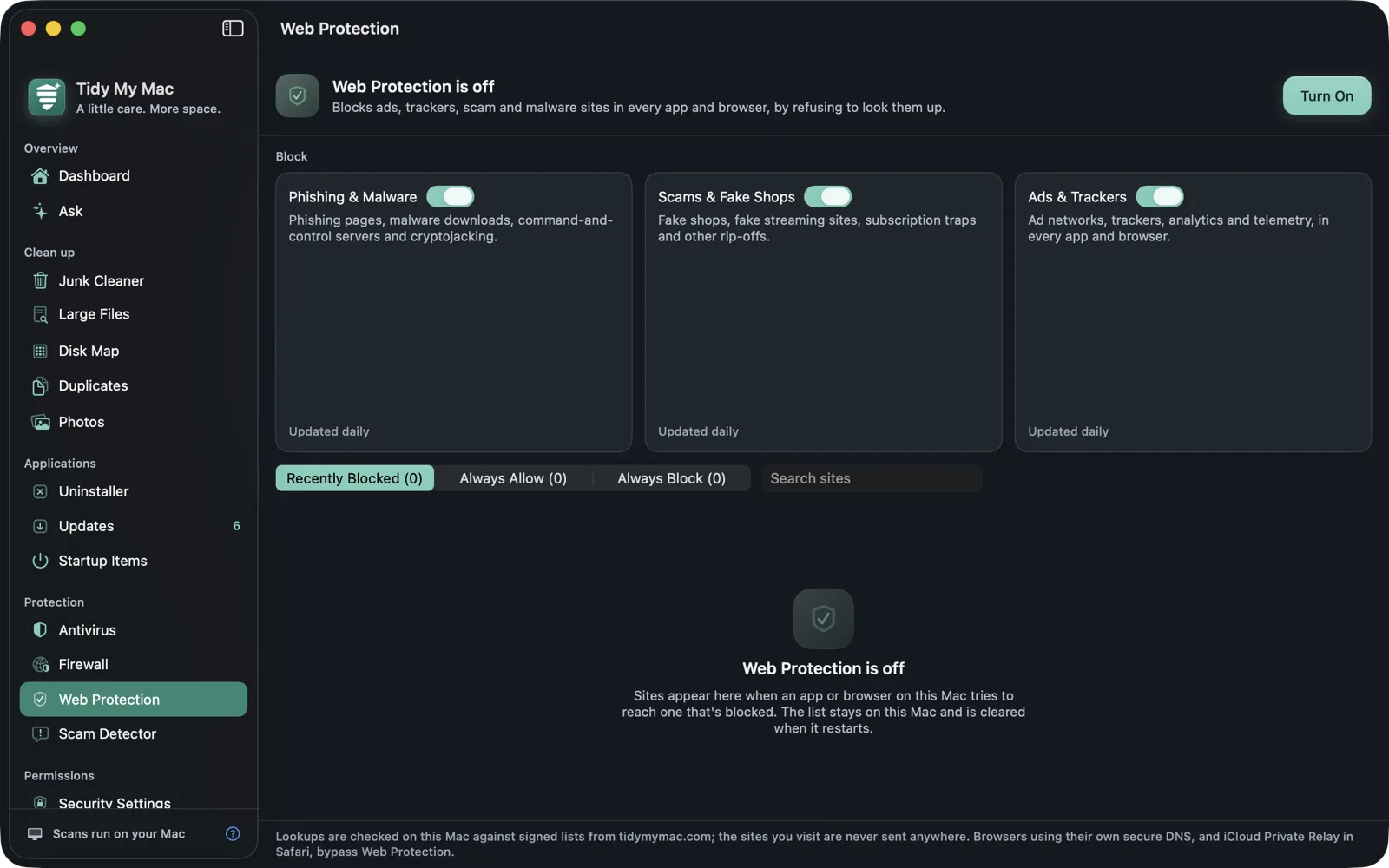
Web Protection
Bad sites never load.
Phishing and malware sites, scams and fake shops, ads and trackers are blocked for every app and browser, on your Mac. The sites you visit are never sent to us or anyone else.
Scam Detector
Check the message before the link.
Paste a text, email or DM and see its red flags: fake deliveries, bank alerts, prize wins. Apple Intelligence checks it on your Mac.
- Security fixes for apps with a known vulnerability
- macOS security score, with fixes
- Alerts when something installs itself to run in the background
- Camera and microphone alerts
Everything a Mac needs. Nothing it doesn't.
Six groups of focused tools instead of one bloated suite, and one subscription covers all of them. See every feature.
Overview
Dashboard & Smart Scan
One Smart Scan, and the Dashboard shows what it found: junk, large files, duplicates and where the space went, with the total you could free at the top. Your macOS security score sits beside it, and the cleanup history lets you Put Back anything you removed.
Ask
"Why is my Mac slow?" "Why is my disk full?" Apple Intelligence answers on your Mac, from what the other sections measured, and links each finding to the place you can fix it.
Clean up
Disk Map
A treemap of where your space actually goes, in your home folder or across the whole disk. Click into any block to drill down, and reveal, preview or trash what you find. One pass over the disk feeds Disk Map, Large Files, Duplicates and Junk Cleaner at once.
Junk Cleaner
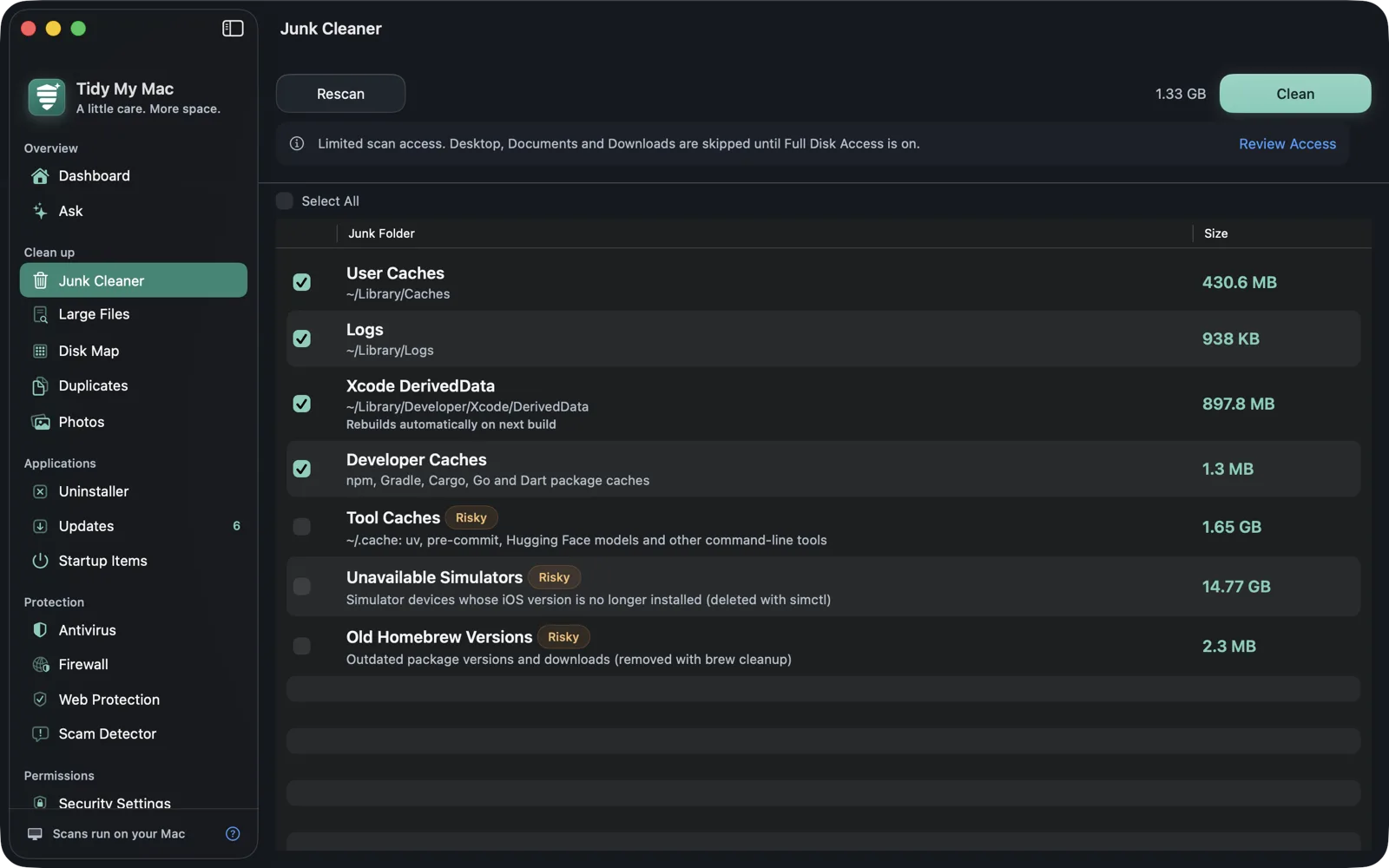
Caches, logs, Mail and Messages attachments, old downloads, installers of apps you already have, iPhone firmware, iOS backups, local Time Machine snapshots, and developer junk from Xcode, simulators, JetBrains IDEs, Homebrew, Docker and stale node_modules, Python environments and Rust builds. Always previewed first.
Large Files
The archives, disk images and exports quietly eating your storage, sorted by size and labelled by what they are, so you know what is safe to let go.
Duplicates
Files with identical contents, matched byte for byte. It suggests the copy to keep, never lets every copy go, and counts APFS clones as the zero bytes they really take.
Photos
Near-identical burst shots, old screenshots and blurry photos, from your Photos library and your folders. It picks the best shot to keep, and library photos go to Recently Deleted.
Applications
Uninstaller
Removes an app together with everything it left behind: preferences, caches, containers, launch agents, helpers and receipts. It also finds the leftovers of apps you deleted long ago.
Updates & Security Fixes
Which of your apps have a newer version, from the App Store, Homebrew or the developer's own feed. Apps with a known security hole come first, checked against a signed list we rebuild from vendors' advisories every six hours.
Startup Items
Every launch agent that starts at login, with its app and icon, your measured boot time, and a switch to turn off the ones you don't need.
Protection
Antivirus ClamAV
Quick, Normal and Deep scans that pick up where they left off, quarantine with restore, and real-time protection that checks every new file in Downloads and Desktop. Scans run locally; with deep malware analysis on, files are also sent to us for AI analysis.
Ransomware Protection
Watches for files being renamed to .locked, ransom notes, scrambled contents and hidden decoy files being touched, then stops the program doing it. Programs you trust get Always Allow.
Adware
Management profiles, browser policies, proxies and /etc/hosts entries that hijack your searches or say "Managed by your organisation". Each explained in plain words, and removed after you confirm.
Firewall
See which apps are connecting out, and the addresses they reach. Block any app from the network with one click, and unblock it just as easily.
Web Protection
Blocks phishing and malware sites, scams and fake shops, and ads and trackers for every app and browser. Three switches, plus your own always-allow and always-block lists. Lists update by themselves, even with the app closed.
Scam Detector
Paste a message and see the red flags before you tap the link. Apple Intelligence checks it on your Mac; without it, or when you ask for an Enhanced Check, our server takes a second look.
Privacy & Permissions
Security Score
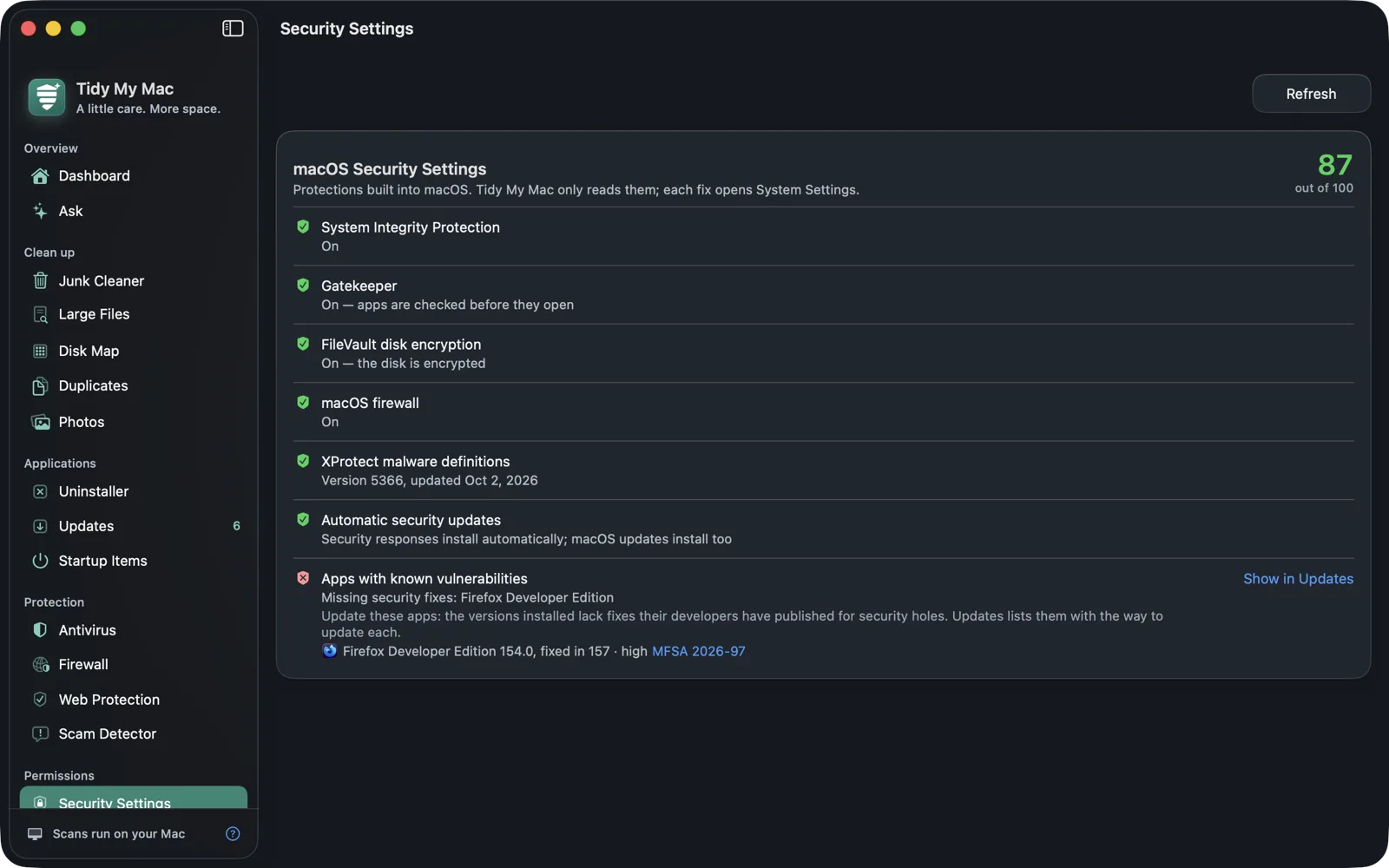
SIP, Gatekeeper, FileVault, the firewall, XProtect, automatic updates and vulnerable apps, scored out of 100, with how to fix each one. Plus Wi-Fi security and recent sudo activity.
What your apps can reach
The privacy permissions your apps actually hold, browser extensions rated by risk, and apps whose code signature is broken, missing or not notarized.
Privacy Cleanup
Clear browser history, cookies, caches and form data in each browser, and macOS's recent items. Saved passwords are never touched.
System
Performance
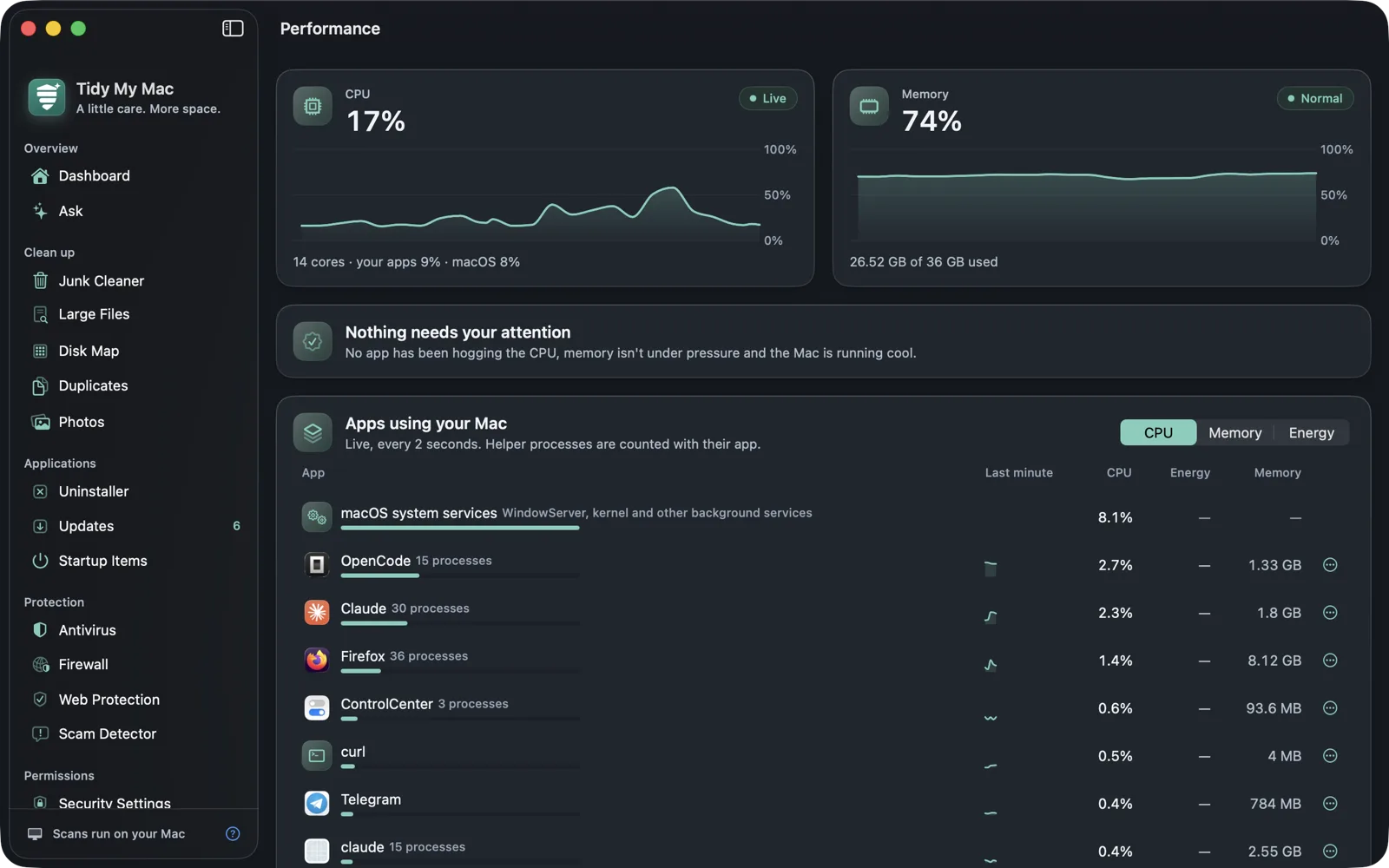
Live CPU and memory, each app's CPU, power and memory use with a Quit button, battery wear, SSD health and temperature, so you can tell what is actually slowing things down.
Background Services
Every launch agent, daemon and Homebrew service on your Mac, and which are running right now. Search them, and stop or turn off the ones you don't want.
Maintenance
Flush the DNS cache, rebuild the Spotlight index and the "Open With" menu, clear font caches. Each one says what it fixes and how long it takes.
Working quietly in the background
- Scheduled Smart Scans, virus scans and update checks
- An alert when something installs a login item or background service
- Optional alerts when the camera or microphone turns on, and which app did it
- A warning before your disk runs out of space
- Shortcuts and Siri: free space, Smart Scan, quick virus scan, Empty Trash
- CPU and memory at a glance from the menu bar
Read this before you install
Tidy My Mac requires macOS 26 Tahoe or later, and it is not sandboxed. On first launch it asks for a single Full Disk Access grant, because its scans need to read the whole disk rather than only your own folders. Without it, scans simply leave out Desktop, Documents and Downloads instead of raising a prompt for each folder. You can revoke the grant at any time in System Settings → Privacy & Security → Full Disk Access. The app is distributed as a signed, notarized disk image downloaded directly from this site. It is not sold in the Mac App Store.
Privacy by design
Scans happen on your Mac.
No telemetry and no account in the app. Every scan runs on your Mac, and the one feature that sends files, deep malware analysis, is yours to turn off.
- Files are scanned locally. With deep malware analysis on, files from your home folder, including documents and photos, are sent to our servers for AI analysis. The app asks when it first opens; untick it, or turn it off later in Settings, and no file is sent.
- No account or sign-in in the app, and no telemetry, analytics, or crash reporting.
- It is not sandboxed, and asks for one Full Disk Access grant. The FAQ below explains why.
- It goes online only to update itself, its antivirus signatures and its list of apps with known security holes; to check your other apps for updates when you ask; to download Web Protection's lists while it is on; to check a scam message when Apple Intelligence can't, or when you ask for an Enhanced Check; and, while it is on, for deep malware analysis.
Try it free for 7 days. No card needed.
Enter your email, we send you the download link, and every section is yours for a week. No credit card. If you want to keep it, subscribe here on this site.
Free trial
Every feature, for 7 days, from the moment you first open it.
- Every section, nothing held back
- Just your email, no credit card
- Nothing is charged when the trial ends
Tidy My Mac Save 67%
One Mac, every section, a year at a time.
- Cleanup, antivirus, firewall, Web Protection and every other section
- Updates, virus signatures and blocklists included
- Renews at $59.99 a year from the second year; cancel any time
Prices are in US dollars for one Mac and include sales tax or VAT where it applies. Not sold in the Mac App Store: the app is a signed, notarized .dmg you download from this site.
Frequently asked questions
Can't find what you're looking for? Contact support.
Only if you leave deep malware analysis on. Every scan (junk, disk map, duplicates, photos, antivirus) runs entirely on your Mac. Deep malware analysis sends files from your home folder, including documents and photos, to our servers for AI analysis; it is on by default and you can turn it off in Settings › Malware Analysis. The other thing that can leave your Mac is a message you paste into the Scam Detector, and only when Apple Intelligence is off or unavailable, or when you choose Enhanced Check; the Privacy Policy says exactly what is sent and kept. The app doesn't require an account.
Every download comes with a 7-day free trial of every section. We email you the download link, and no credit card is needed. To keep using it after that, subscribe on this site: $19.99 for the first year for one Mac, then $59.99 a year. There are no tiers or in-app purchases: the subscription covers everything, and you can cancel at any time. Nothing is charged when the trial ends.
The app stops working until you subscribe, and nothing is charged, since you never gave us a card. Your files, settings and quarantine stay exactly where they are, and everything picks up again once you subscribe.
Nothing is removed without a preview first. Duplicates and Photos always keep at least one copy of each file, files go to the Trash (library photos to Recently Deleted), and the cleanup history on the Dashboard lets you put back what you removed. The Uninstaller and Junk Cleaner tell you up front when something is removed permanently instead.
No. Your Mac downloads the lists of blocked sites and checks each lookup against them locally. A blocked site simply doesn't load; every other lookup goes, unchanged, to the DNS server your network already uses. Browsers that use their own secure DNS, and Safari with iCloud Private Relay, bypass it.
No. Ask and the Scam Detector use it on your Mac when it's on. Without it, Ask falls back to the built-in performance advice, and the Scam Detector uses its own rules plus a check on our server. Everything else works the same either way.
Tidy My Mac is not sandboxed, and it needs to read the whole disk, not just your own folders, to find junk, map your disk, find duplicates and scan for malware. So on first launch it asks you to grant Full Disk Access once. Without it, scans leave out Desktop, Documents and Downloads rather than raising a separate macOS prompt for each folder. You can revoke it at any time in System Settings → Privacy & Security → Full Disk Access, and no scan results are sent anywhere either way.
macOS 26 Tahoe or later. Earlier versions aren't supported and there's no fallback mode to run in.
No. It's distributed as a signed, notarized .dmg you download directly from this site, which is also why the app asks for the Full Disk Access permission itself rather than relying on the App Store's review.
Updates are delivered in-app and included in your subscription. The app checks a signed update feed published on this site and only installs a build it can verify. Besides that feed, it goes online only for antivirus signatures, the list of apps with known security holes, Web Protection's lists (while it is on), update checks for your other apps when you ask, and server scam checks. The Privacy Policy lists every request and what it contains.
Yes. Tidy My Mac uses the open-source ClamAV engine to scan on demand. Scans run locally against virus-definition databases that the app downloads and keeps up to date. With deep malware analysis on, files are also sent to our servers for AI analysis.
No. There is no telemetry, no analytics, and no crash reporting in the app. If you want to read the exact list of what the app touches on your Mac, the Privacy Policy spells it out file by file.
Give your Mac some room to breathe.
Try every section free for 7 days. No credit card, no App Store account. Then $19.99 for your first year.
Start your free trial